Skip to content
Available now for Mac and Windows


Fast, private and fully featured. Free and open source.

Skip the demo

Ads & trackers blocked294Focused1h 12mDue today2Nothing overdue
Your memoryMemory
Trip planningSkill
You · 10:42 AM

Plan two weeks in San Francisco for a founder trip in March, flying from London. Stay near SoMa and keep it under $6k.

Which two weeks in March, and do you need a proper desk where you stay?

Mar 2 to 16. Yes, a real desk.

Is nonstop worth paying more for?

If it's under £150 more.
StaysReading listings…
Working
staybook.comStays in SoMa · Mar 2 to 16
SoMaMar 2 to Mar 161 guest
PriceWorkspaceEntire placeWi‑Fi 100+ MbpsSelf check-in
Light-filled loft with a real deskEntire loft · SoMa★ 4.96 · $3,120 total
Quiet one-bedroom by the ballparkEntire apartment · Mission Bay★ 4.91 · $2,860 total
Garden studio with fast Wi‑FiEntire studio · Hayes Valley★ 4.88 · $2,540 total
Light-filled loft with a real deskEntire loft · SoMa★ 4.96 · $3,120 total
Quiet one-bedroom by the ballparkEntire apartment · Mission Bay★ 4.91 · $2,860 total
Garden studio with fast Wi‑FiEntire studio · Hayes Valley★ 4.88 · $2,540 total
$3,120$2,860$2,540$4,410
FlightsComparing fares…
Working
flightfinder.comLondon ⇄ San Francisco · Mar 2 to 16
London (LHR) → San Francisco (SFO)Mar 2 to Mar 161 adult
BestCheapest · £512Fastest · 10h 55m
KLM06:05 to 12:40LHR → SFO14h 35m1 stop · AMS£512
United09:45 to 12:50LHR → SFO11h 05mNonstop£634
British Airways11:20 to 14:15LHR → SFO10h 55mNonstop£742
Virgin Atlantic14:30 to 17:35LHR → SFO11h 05mNonstop£768
KLM06:05 to 12:40LHR → SFO14h 35m1 stop · AMS£512
United09:45 to 12:50LHR → SFO11h 05mNonstop£634
British Airways11:20 to 14:15LHR → SFO10h 55mNonstop£742
Virgin Atlantic14:30 to 17:35LHR → SFO11h 05mNonstop£768
Stays near SoMa, Mar 2 to 16
Light-filled loft with a real deskEntire loft · SoMa 4.96 (112)
Workspace
Desk and monitor
Getting around
8 min walk to Caltrain
$3,120 / 14 nights
Quiet one-bedroom by the ballparkEntire apartment · Mission Bay 4.91 (64)
Workspace
Desk by the window
Getting around
12 min to SoMa
$2,860 / 14 nights
Garden studio with fast Wi‑FiEntire studio · Hayes Valley 4.88 (203)
Workspace
Kitchen table only
Getting around
20 min to SoMa
$2,540 / 14 nights
London ⇄ San Francisco, return
KLM£512 return
06:05LHR14h 35m1 stop · AMS12:40SFO
UnitedTop pick£634 return
09:45LHR11h 05mNonstop12:50SFO

Nonstop for £122 more, within what you said.

British Airways£742 return
11:20LHR10h 55mNonstop14:15SFO
Virgin Atlantic£768 return
14:30LHR11h 05mNonstop17:35SFO
Plan · Mar 2 to 16
Two weeks in San Francisco

Take the SoMa loft for its desk and the walk to Caltrain, and fly United nonstop. Together they come to about $3,970 before food and transport, well under your $6k. UK passports need an approved ESTA before you board.

$3,120Loft · 14 nights£634United · return
  1. Before bookingApply for an ESTAUsually approved within 72 hours; apply before you pay for flights.
  2. Mar 2Fly London → San FranciscoUnited · LHR 09:45 → SFO 12:50 · nonstop£634 rtn
  3. Mar 2 to 16Stay in SoMaLight-filled loft · desk and monitor · 8 min to Caltrain$3,120
  4. Mar 16Fly San Francisco → LondonUnited · SFO 16:10 → LHR 10:25 +1 · nonstop
Make tasksstaybook.com · flightfinder.com · esta.cbp.dhs.gov
SF founder trip
92%
0Tasks
  • Apply for an ESTASF founder trip
  • Book the SoMa loft for Mar 2 to 16SF founder trip
  • Book United LHR → SFOSF founder trip
  • Put the trip on the calendarSF founder trip
  • Share the plan with AlexSF founder trip
Search or enter an address

Your browser, as it should be.One switch, and it is ready for work.Ask in your own words.It asks before it guesses.Helpers work on live sites, in plain sight.Every finding, side by side.Keep the plan, not the transcript.Then turn it into tasks.

First, a great browser.

Fast, private and fully featured, with everything you need already inside.

theverge.comBlocking ads and trackers
0blocked on this page

Ads and trackers, gone. A native blocker turns them away at the network, before a page can load them.

  • 1Password
  • Bitwarden
  • Grammarly
  • Dark Reader
  • SponsorBlock
  • Notion Web Clipper

Your extensions come along. The ones you rely on, straight from the Chrome Web Store.

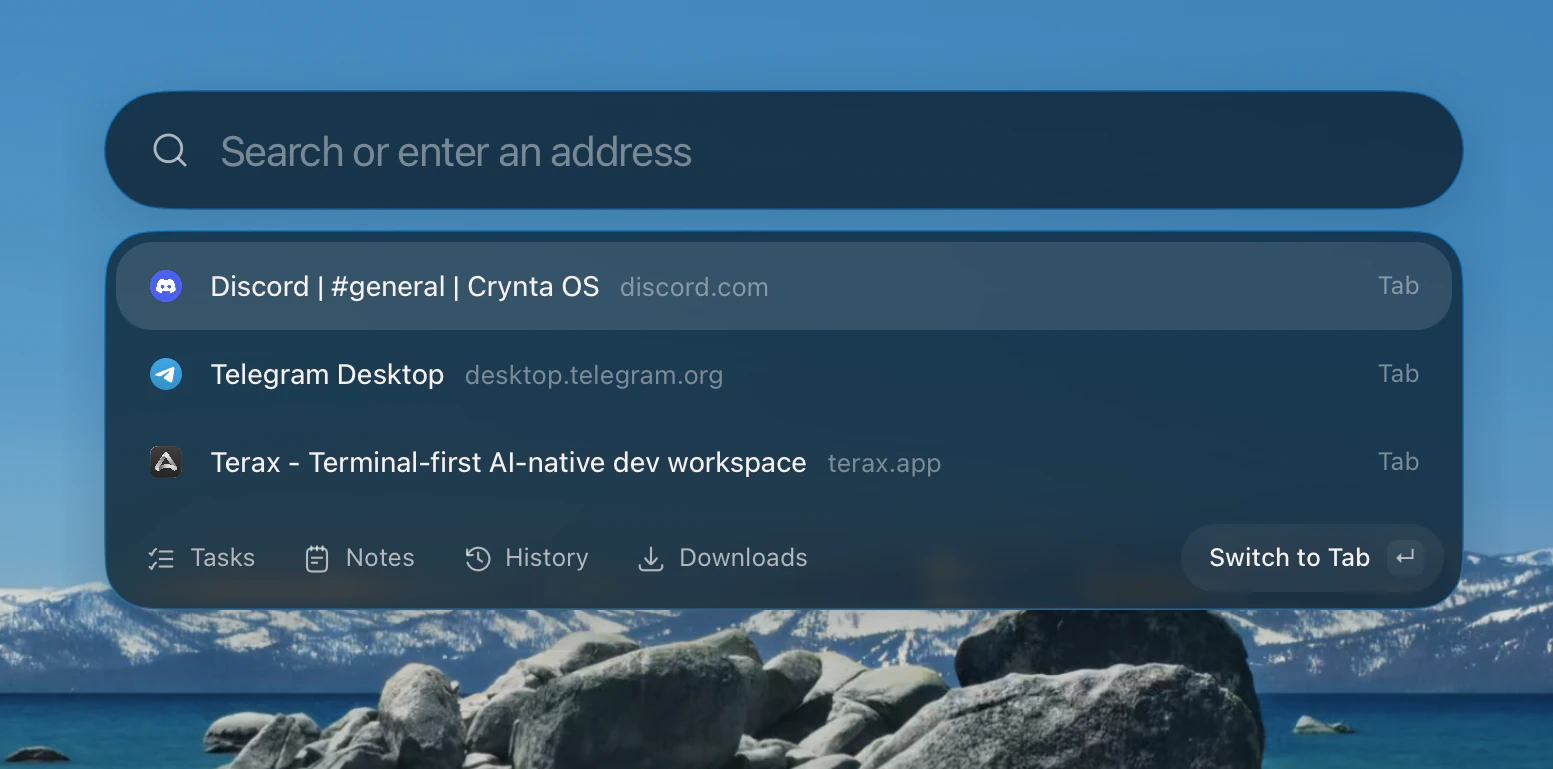
Everything, one shortcut away.

Tabs, tasks, notes, history and downloads, from anywhere on your desktop.

⌘⇧Space
Zephium's launcher, listing open tabs with tasks, notes, history and downloads beside them.

AI is optional.
Disable anytime.
Customize everything.

Pick any model, or none at all. Zephium is a full browser either way.

Ours, if you like. No keys to manage, and nothing you send is kept.

No telemetry
Nothing about how you browse is collected.
No account to browse
Until you sign in, Zephium never contacts our servers.
Open source
Every line is on GitHub, under MPL-2.0.

Work, on a canvas.

Describe the outcome. Agents open real pages, compare and build, and leave you something to keep.

Set up a status page for Zephium: compare Uptime Kuma, Gatus and OpenStatus, then build the one that fits.

A whole Work run in Zephium: the request and its context, three helpers reading Uptime Kuma, Gatus and OpenStatus on their own sites, a local helper checking the endpoints, the status page it built, then the answer, a comparison table and charts, a diagram of how it fits, the config and four tasks.
One request, the whole run. Helpers read three projects on their own sites, a local helper checked the endpoints, and the agent built the pick, weighed all three and left the config and the tasks.
  • Live pages. Helpers browse real sites, and you can watch every one.

  • Helpers in parallel. The lead splits the goal and sends a helper after each part.

  • Your files. It reads and edits folders you grant, and asks before changing a thing.

  • Code and commands. It writes and explains code, runs commands and maps a system.

  • Your tools. MCP servers and the command lines you already use, like GitHub and Slack.

  • Your context. Tabs, history, tasks and notes, whenever you let it look.

  • Results that last. Tables, charts, comparisons and plans stay on the canvas.

  • Your models. Your own keys for OpenAI, Anthropic or Gemini, or a local model.
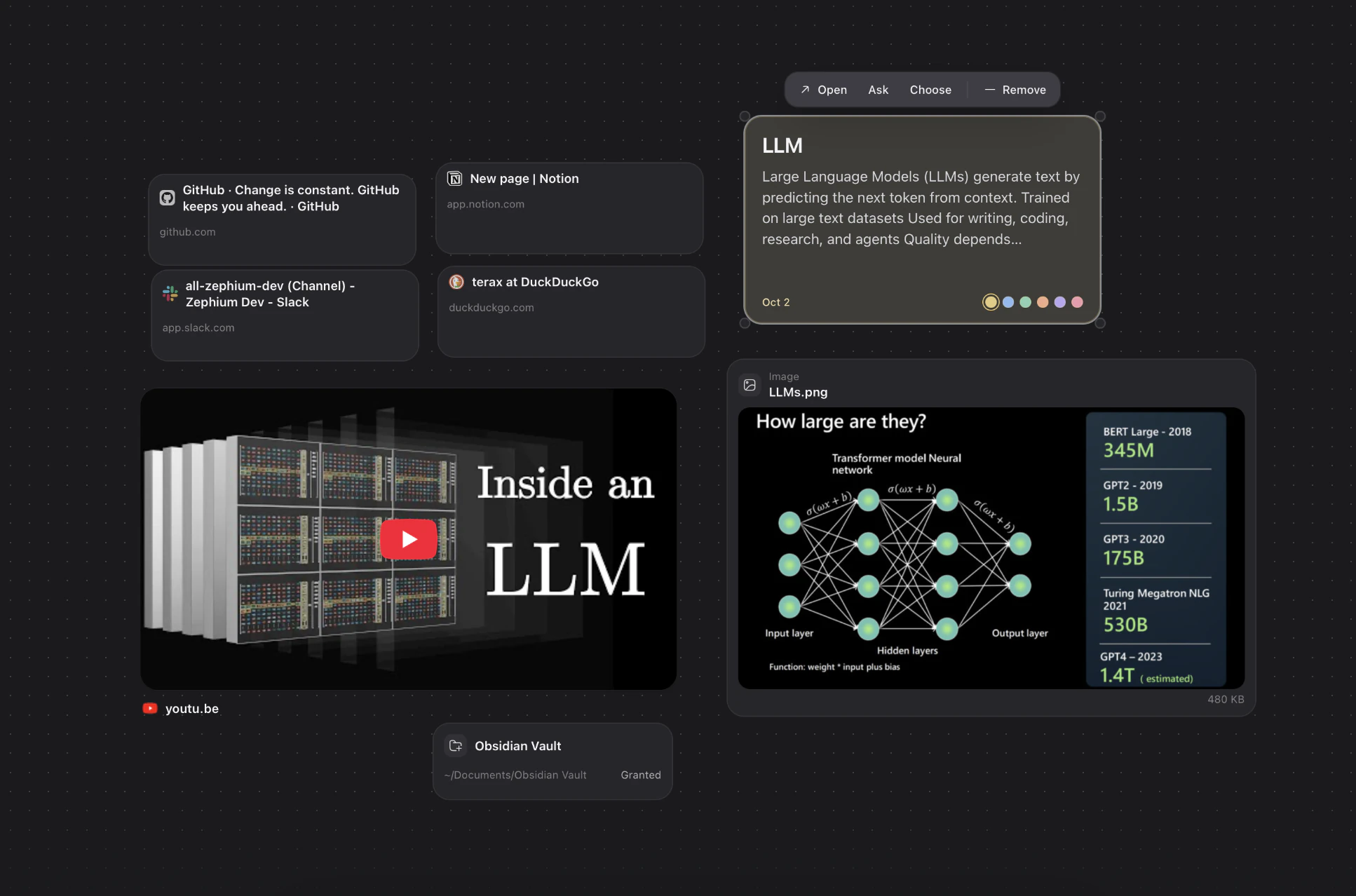
A canvas holding tabs from GitHub, Notion, Slack and DuckDuckGo, a note, a YouTube video, an image and a folder.
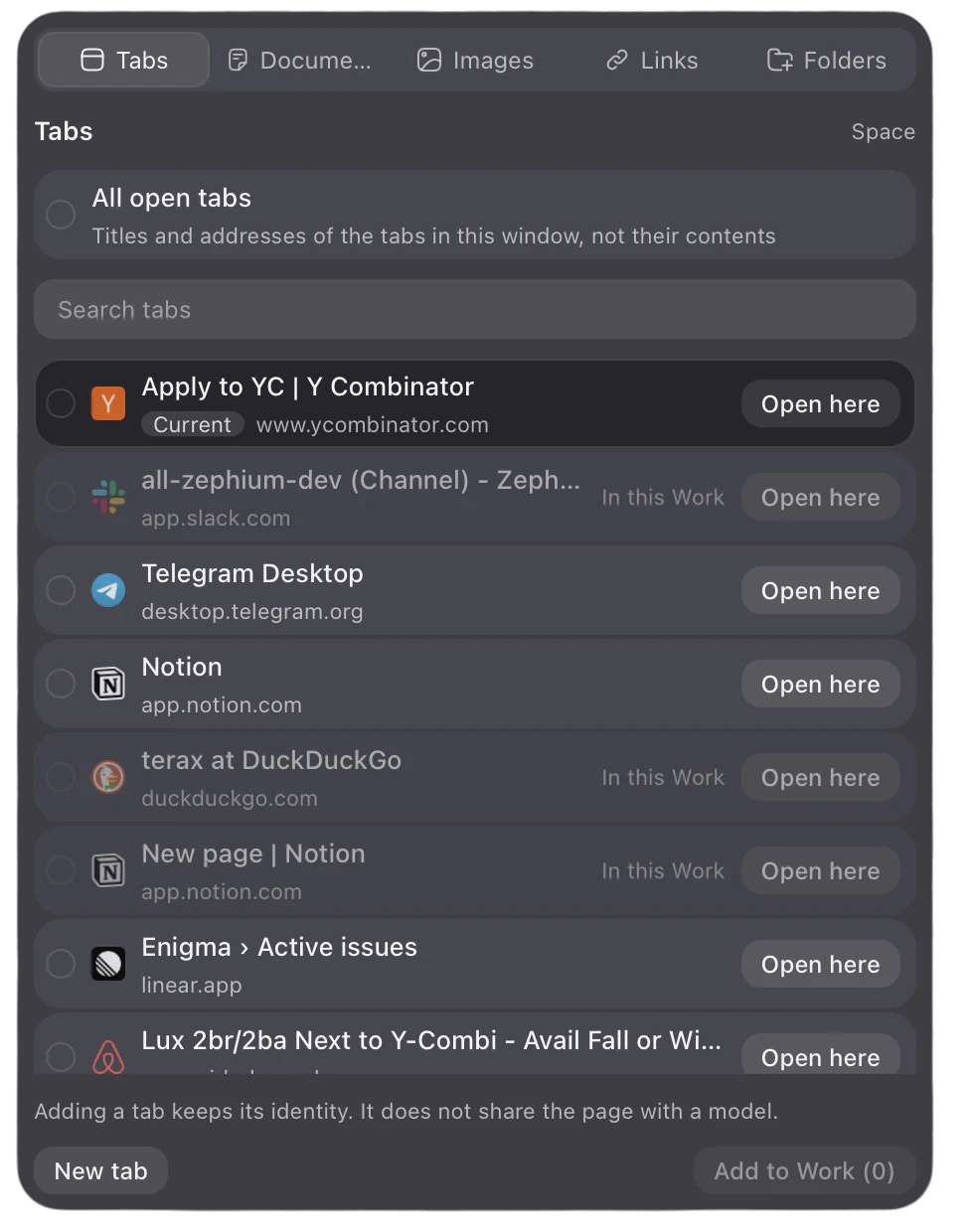
The attach menu: tabs to choose from, with sections for documents, images, links and folders.

Bring anything onto the canvas. Tabs, files, folders, images and links, side by side. Connect your tools through MCP and the command line, and agents work with all of it.

Your day, beside the page.

Tasks, notes and activity live in the sidebar, and your agents can use them whenever you let them.

Today2 open
Add a taskFri, 10:00
  • Record the launch film
  • Reply to the design review2:30 PM
  • Book flights to San Franciscoflightfinder.com

Tasks in your own words. Write it the way you would say it, and it lands on the right day.

React notes

Actions run async work in a transition and keep track of pending and errors for you.

const [error, save, pending] =
  useActionState(update, null);

<form action={save}>
  • use() reads a promise while rendering
  • ref is a plain prop now

Notes beside the page. Markdown files you own, with code that stays code.

Time & Focus
4h 52mon the web
Focus 38 min left · distractions blocked
  • linear.app1h 24m
  • github.com58m
  • notion.so41m

See where the day went. Time by site, and focus that keeps distractions shut.

Native, all the way through.

Zephium is not a fork of Chromium or Firefox. We built the browser ourselves, in Rust, and pages render in the engine your system already ships and keeps up to date. A browser of our own, with no second copy of a browser engine to download and hold in memory.

40 MB
app size
Instant
to start
Lighter
on memory
Longer
on battery

See it in motion.

The launch film: the browser, Work, and what your agents do with both.

Questions, answered.

Is Zephium built on Chromium?

No. Zephium is written in Rust and draws pages with the engine your system already has: WKWebView on macOS and WebView2 on Windows. The interface, the blocker, the agents and the storage are all its own.

Do I need AI to use it?

No. Zephium is a complete browser with Work switched off. When you want agents, use Zephium's own AI, bring your own key for OpenAI, Anthropic or Gemini, or run a model locally.

Which extensions work?

The major Chrome extensions work today, including 1Password, Bitwarden, Grammarly, Dark Reader and SponsorBlock, installed from the Chrome Web Store. A few extensions use features Zephium does not support yet, and support for more is coming soon.

What leaves my device?

Nothing about how you browse. There is no telemetry, your data is stored on your device, and you never need an account to browse. When an agent works, you see on the canvas which pages and notes it sends to the model you chose.

Can agents act without me?

Agents work in pages you can see, and you can stop a run at any time. They ask before they change your files, and you decide which folders they can reach.

Is it free?

The browser is free and open source, under the Mozilla Public License 2.0. Zephium AI starts you with 250 free credits, and Pro and Max add 2,000 or 10,000 every month. With your own keys or a local model, you pay only your provider, or nothing at all. See pricing.

When are Intel Macs, Linux, iOS and Android coming?

Intel Macs and Linux are next, and the mobile apps follow. Watch the repository's releases on GitHub, or follow the changelog feed, to hear when they land.

Built in the open.

Zephium is made in public, with the people who use it. Read the code, send a fix, or come and say hello.

930 stars · 8 contributors

Zephium for Linux is coming.

Get one email when it's available.

One release notification, not a newsletter, and no account. Privacy